Precise Editing Tools
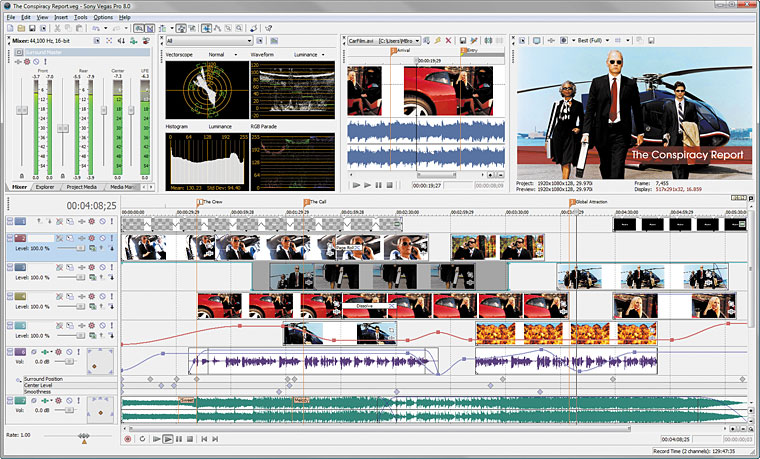
Edit SD or HD video with drag-and-drop functionality, mouse and keyboard trimming, and ripple editing. Features include ProType Titling technology, multicamera editing tools, 32-bit floating point video processing, customizable window layouts, color-coded snapping, improved HDV/SDI/XDCAM support, Cinescore plug-in support, A/V synchronization detection and repair, and auto-frame quantization
Multicamera Workflow New!
Edit multicamera productions intuitively and quickly by specifying shots as you watch your project. Switch between as many as 32 video sources with a keyboard command or a click of your mouse. Vegas Pro 8 software keeps all unused shots as alternate takes to make fine-tuning your edits more efficient.
Powerful Color Correction and Matching Tools
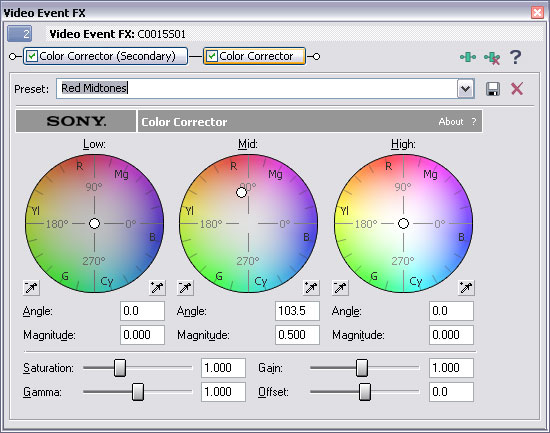
Use 3-Wheel Primary and comprehensive Secondary Color Correction filters to adjust differences in video from different camera setups or lighting situations; enhance dull, washed out footage; or make specific color ranges stand out. All edits can instantly be analyzed on four scopes: Vectorscope, Waveform, Parade and Histogram. Changes are immediately viewable on an external monitor via i.LINK® connector*/IEEE-1394 devices.
Superior Audio Control
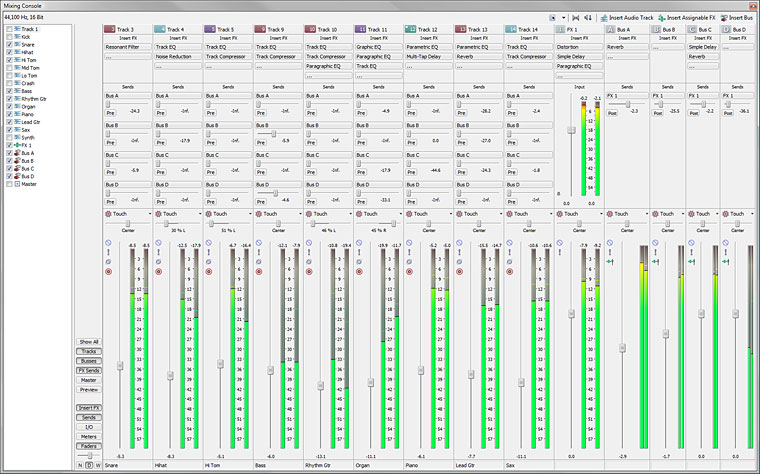
Use unlimited tracks, 24-bit/192 kHz audio, punch-in recording, 5.1 surround mixing, effects automation, and time compress/expand. Apply customizable, real-time audio effects like EQ, Reverb, Delay, and more. Expand your audio processing and mixing options with supported third-party DirectX® and VST audio plug-ins. Use the Mixing Console for precise audio control
24-Bit/192 kHz Audio Support
Vegas Pro 8 software supports full resolution 24-bit/32-bit 192 kHz files for the ultimate in audio fidelity. Import, save, and even record to this resolution if your hardware supports it.
5.1 Surround Mixing
The Vegas Pro 8 collection has extensive tools for the creation of 5.1 surround mixes*. Keyframeable surround panning for tracks and busses lets you mix the most demanding DVD soundtracks without leaving the Vegas environment. Apply 5.1-channel audio effects to the master bus for enhanced control over DVD mixes. Export projects as discrete tracks for post-encoding, or encode directly to Dolby Digital® surround with the Sony Creative Software Dolby-certified AC-3 encoder*. DVD Architect Pro 4.5 software imports AC-3 files for the creation of multichannel 5.1 DVDs.
http://www.sonycreativesoftware.com/pro ... sp?pid=457